

Are rising Google Ads costs draining your marketing budget? You launch a Google Ads campaign, and the impressions start rolling in, clicks increase steadily, and your website traffic looks promising.
But when you analyze the results at the end of the month, there’s one number that stands out for all the wrong reasons, your Cost Per Lead (CPL). Sound familiar?
Many businesses struggle with rising lead acquisition costs despite investing heavily in Google Ads. In competitive industries such as technology, finance, healthcare, and legal services, businesses often pay hundreds of dollars per lead.
According to recent advertising benchmarks, the average Cost Per Lead across Google Ads campaigns is approximately $70.11, while some competitive sectors regularly exceed $100 per lead.
The real issue is that many advertisers unknowingly waste budget on irrelevant clicks, poorly optimized landing pages, broad targeting, and inefficient bidding strategies.
The good news? Reducing your Cost Per Lead doesn’t require doubling your budget or completely rebuilding your campaigns. In most cases, a few strategic improvements can dramatically lower acquisition costs while increasing the number of qualified leads you generate.
Before diving into optimization strategies, it’s important to understand what Cost Per Lead actually means. Cost Per Lead (CPL) measures how much you spend to acquire a potential customer through your advertising efforts.
The formula is straightforward: Cost Per Lead = Total Ad Spend ÷ Number of Leads Generated. For example, if you spend £2,000 on Google Ads and generate 40 leads, your CPL is £50.
While every industry has different benchmarks, the goal remains the same: generate high-quality leads at the lowest possible cost without sacrificing lead quality. The key to achieving this lies in improving efficiency throughout your campaign.

One of the fastest and most effective ways to reduce Cost Per Lead is to identify and eliminate irrelevant traffic.
Google Ads allows advertisers to specify the keywords their ads should appear for. However, many campaigns overlook the equally important practice of defining keywords they do not want to appear for. These are known as negative keywords.
Imagine you’re selling premium leather jackets. You want to attract shoppers looking for high-quality products. However, if your ads appear for searches like “free leather jackets” or “cheap leather jackets,” you could end up paying for clicks from users who were never likely to become customers. Each irrelevant click consumes part of your advertising budget and drives up your Cost Per Lead.
By regularly reviewing your Search Terms Report, you can identify phrases that generate clicks but fail to produce conversions. Adding these terms as negative keywords helps prevent future budget wastage.
Common negative keywords include:
Think of negative keywords as a protective filter that ensures your ads are shown only to people who genuinely match your target audience.
Many advertisers focus entirely on bidding higher than competitors. However, Google doesn’t simply reward the highest bidder. Instead, Google prioritizes relevance. This is measured through a metric called Quality Score, which evaluates:
A higher Quality Score indicates that your ad provides a positive user experience. As a result, Google rewards you with lower advertising costs.
According to Google Ads performance studies, improving your Quality Score from 5 to 10 can reduce your Cost Per Click by up to 50%. Since Cost Per Lead is directly influenced by click costs, improving Quality Score can significantly reduce overall acquisition costs.
Start by organizing your campaigns into tightly themed ad groups. Instead of placing dozens of unrelated keywords into one group, create smaller keyword clusters based on specific search intent.
For example, a roofing company should separate commercial roof repair and residential roof replacement into individual ad groups. This allows you to create highly targeted ad copy that directly matches what users are searching for.
The closer the match between keyword, ad copy, and landing page, the higher your Quality Score is likely to be.
One of the most expensive mistakes businesses make is sending paid traffic to a generic homepage. Imagine clicking on an advert offering a free consultation, only to land on a homepage filled with navigation menus, blog articles, service pages, and multiple calls to action.
What happens next? Most visitors leave. The disconnect between the ad and the landing experience creates confusion and increases bounce rates.
A dedicated landing page solves this problem by maintaining message consistency throughout the user journey. For example, if your ad promotes “Free 30-Minute Marketing Consultation,” your landing page should immediately reinforce that same offer.
Visitors should instantly understand:
The most effective landing pages focus on a single conversion goal and eliminate unnecessary distractions.
Google reports that when page load time increases from 1 to 3 seconds, the bounce rate increases by 32%. Slow-loading pages don’t just frustrate users, they directly increase your Cost Per Lead.
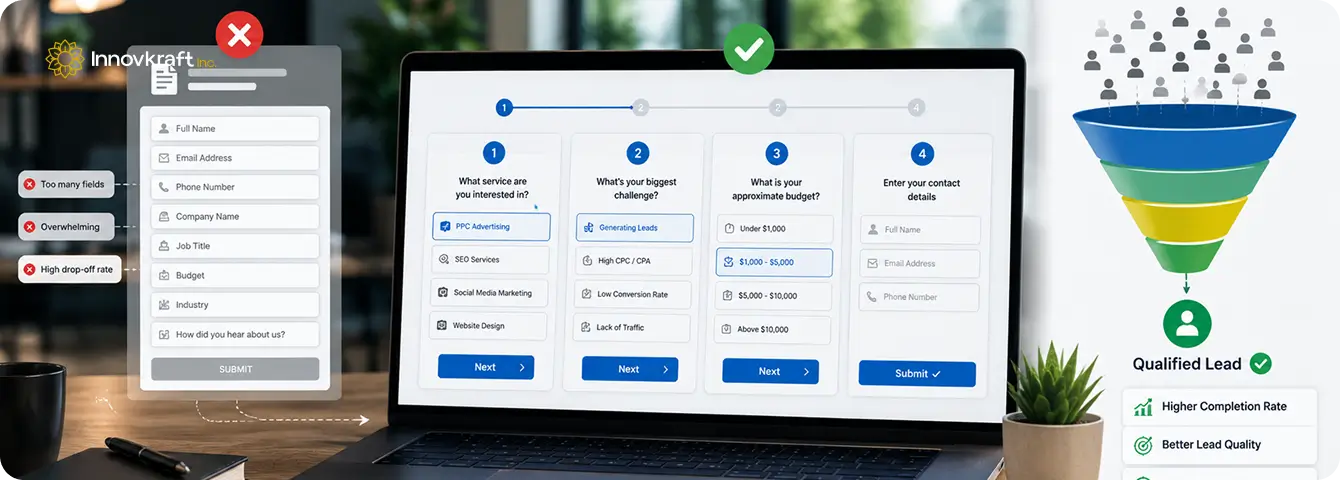
Generating leads isn’t just about attracting visitors. It’s about making it easy for them to convert. Unfortunately, many businesses create unnecessary friction through lengthy lead forms. When visitors are immediately asked for:
They often abandon the process before completing it. A more effective approach is to use a multi-step funnel. Instead of presenting everything at once, break the process into smaller, easier interactions. For example:
Step 1: What service are you interested in?
Step 2: What’s your biggest challenge?
Step 3: What is your approximate budget?
Step 4: Enter your contact details.
This approach uses a psychological principle known as commitment bias. Once users have invested time answering initial questions, they are far more likely to complete the final step. Businesses that switch to multi-step forms frequently experience substantial increases in conversion rates, resulting in lower Cost Per Lead without increasing ad spend.
Many advertisers assume that ranking first in Google Ads automatically leads to better results. In reality, that’s not always the case.
Securing the top ad position often requires significantly higher bids, which increases your Cost Per Click and ultimately raises your Cost Per Lead. While position one attracts visibility, it doesn’t always attract the highest-quality prospects.
Users who compare multiple options before making a decision often demonstrate stronger purchase intent than those who simply click the first result they see.
Rather than chasing the top position, focus on profitability. Test different bid levels and monitor conversion rates across positions. You may discover that position two or three delivers equally strong lead volume at a much lower cost.
When it comes to Google Ads, the most profitable position is often more important than the highest position.
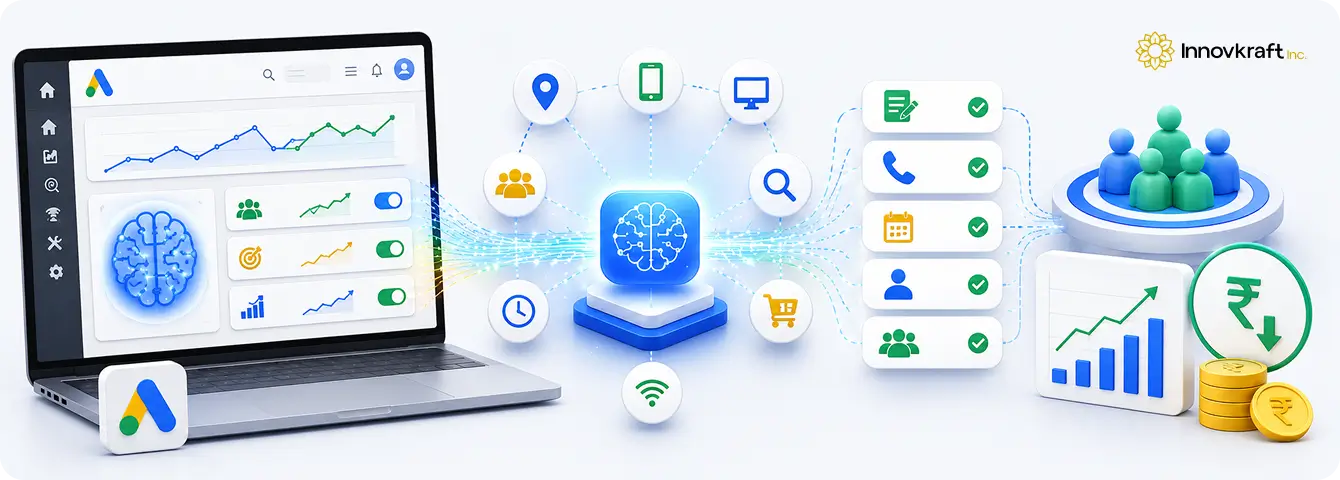
Google’s AI-powered Smart Bidding strategies have transformed digital advertising. Strategies such as:
This allows Google to analyze thousands of signals in real time, including location, device, browsing behavior, and search intent.
When implemented correctly, Smart Bidding can significantly improve campaign efficiency. However, there’s a catch. Google’s automation is only as effective as the data it receives.
If your conversion tracking is inaccurate, Smart Bidding may optimize for the wrong actions. For example, if Google counts a visit to a pricing page as a conversion, the system will prioritize users who browse pricing pages over those who actually become leads.
To maximize results, track only meaningful business outcomes such as:
Clean conversion data enables Google’s algorithms to identify users most likely to convert, helping reduce Cost Per Lead over time.
High Cost Per Lead doesn’t have to be an unavoidable part of running Google Ads campaigns.
By following the above strategies, you can improve campaign performance while lowering acquisition costs. The key is to focus on relevance, user experience, and continuous optimization rather than simply increasing your advertising spend.
At Innovkraft, we help businesses transform underperforming Google Ads campaigns into consistent lead-generation engines. Our team specializes in campaign optimization, conversion-focused landing pages, audience targeting, and data-driven advertising strategies designed to maximize ROI.
Contact us today and discover how smarter Google Ads management can accelerate your business growth.